
Overview
Refresh rate is one of the most important display specifications you have to understand when you are choosing a screen. It does not matter whether it’s a TV for your living room, a gaming monitor, a laptop for creative work, or a smartphone for daily use, this term is relevant everywhere. While it’s often marketed aggressively, many buyers still don’t fully understand what refresh rate actually does and also when it actually matters.
In this detailed guide, we’ll explain what refresh rate really means, how it works across different types of displays. We will also look at how to choose the right refresh rate based on real-world usage by looking at it’s functioning and advantages.
Understanding Refresh rate in detail
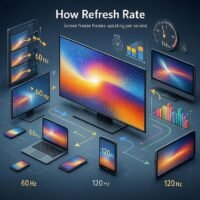
Refresh rate refers to how many times per second a display updates the image on the screen. It is measured in hertz (Hz). For example:
- A 60Hz display refreshes the image 60 times per second
- A 120Hz display refreshes 120 times per second
Each refresh replaces the previous frame with a new one. The faster this happens, the smoother the motion appears to the human eye. This is particularly effective when you are scrolling, gaming, or viewing a fast-moving scene.
Why Refresh Rate Matters in Real Use
So, based on what we know so far, refresh rate directly affects motion smoothness. It does not affect image sharpness or color quality. When refresh rates are low, motion can appear choppy or blurry.
Some cases where you will find refresh rate to be very important:
- Scrolling through apps or web pages
- Playing games with very fast camera movement
- Watching sports or any other action-heavy content
- Using creative software with motion previews
For static tasks like reading documents or editing photos, refresh rates make very little change to your experience
How Refresh Rate Works With Your Hardware
A display does not work in isolation. Refresh rate also depends heavily on how many frames your device can send to the screen.
Refresh Rate vs Frame Rate (FPS)
These two terms which are often confused by non-tech enthusiasts:
- Refresh Rate (Hz): How often the screen updates
- Frame Rate (FPS): How many frames per second your GPU or processor produces
For smooth output, both should be perfectly aligned. For example:
- Your GPU outputs 100 FPS and your monitor refreshes at 60Hz, the display cannot show all frames correctly. This can result in screen tearing, where parts of multiple frames appear on the screen at once, or in an uneven motion.
To solve such synchronization issues, modern displays use adaptive technologies like:
- V-Sync: This technology limits the frame rate to match refresh rate (can add input lag)
- AMD FreeSync: It dynamically matches refresh rate to respective GPU output
- VRR (Variable Refresh Rate): This is generally used in TVs and consoles like PS5 and Xbox Series X
These technologies improve smoothness and responsiveness without needing any additional manual tuning.
How to Check or Change Refresh Rate
On Windows
- Open the Display Settings
- Next, go to Advanced display
- There, select your preferred refresh rate. But, yes, refresh rate heavily depends on the hardware
On macOS
- Open System Settings and go to Displays
- Hold Option and click Scaled
- Choose the refresh rate you want (if supported)
Refresh Rate in Different Display Types
Refresh Rate in Monitors
Monitors offer the widest range of refresh rates because they have to satisfy the experience of gaming enthusiasts and other heavy workload users
- Gaming monitors: 144Hz-240Hz
- Office monitors: 60Hz-75Hz
- Creative monitors: 120Hz preferred for smoother timelines
Refresh Rate in Televisions
Modern TVs are increasingly supporting 120Hz, especially for premium and gaming-focused models.
Higher refresh rates help with:
- Sports broadcasts
- Action-heavy movies
- Console gaming (PS5, Xbox Series X)
Many TVs use motion interpolation, which can artificially smooth content but may introduce the “soap opera effect.”
Refresh Rate in Laptops
High-refresh laptop displays (120Hz-165Hz) improve:
- UI smoothness
- Gaming experience
- Creative workflow responsiveness
However, higher refresh rates can reduce battery life, which is why many laptops use adaptive refresh switching.
Refresh Rate in Smartphones
Modern smartphones increasingly use 90Hz or 120Hz displays.
Benefits include:
- Smoother scrolling
- Faster-feeling UI
- Improved touch responsiveness
Most phones dynamically adjust refresh rate to save battery when high refresh isn’t needed.
Adaptive Refresh Rate: Why It Matters
Adaptive refresh rate is a technology that allows displays to change refresh rate based on the content being displayed. This gives you a sweet spot between performance and power efficiency. Higher refresh rates consume more power, so this technology improves this aspect.
Benefits:
- Reduced problems like screen tearing
- Lower power consumption if you compared to without adaptive refresh rate
- Smoother experience without any manual control
This is very important for modern smartphones, laptops, and TVs.
Conclusion
Right Refresh Rate For You According to Your Needs
| Usage Type | Recommended Refresh Rate |
|---|---|
| Office / Browsing | 60-75Hz |
| Casual Gaming | 75-120Hz |
| Competitive Gaming | 144Hz |
| Content Creation | 120Hz |
| Smartphones | 90-120Hz |
| TV & Console Gaming | 120Hz |
Frequently Asked Questions (FAQs)
1.What is the best refresh rate for gaming?
For most gamers, go for 120Hz or 144Hz offers the right spot when it comes to refresh rate in displays.
2.Does higher refresh rate drain battery faster?
Yes, generally higher refresh rate drain battery faster. But technologies like adaptive refresh rate helps reduce impact.
3.Is refresh rate more important than resolution?
For motion-heavy tasks, yes, refresh rate matters far more. For static tasks, like document viewing, resolution matters more.
4.Can the human eye see beyond 60Hz?
Yes, this is true, especially when it comes to fast motion and scrolling.